Open source / PDF
Make PDFs with Claude
Real documents, quotes, proposals, one-pagers, CVs, that start as HTML and save to PDF with one click. No tools in between: you build them by talking to Claude.
Free, MIT licensed. Works on the free claude.ai plan too.
What you get
A real document, in a single file
Any document
Quotes, proposals, one-pagers, CVs, letters, reports. All in one self-contained HTML file that opens in the browser.
Save as PDF in one click
A button inside the page. Press it and choose "Save as PDF". No export, no tools in between.
Your brand kit
Two colors and a font at the top of the file. Give them to Claude and the document is yours, without touching anything else.
Clean A4 layout
Proper margins, headers, page numbers, aligned tables. It prints exactly as you see it.
A conversation, not an editor
Describe what you need, Claude generates the HTML, you iterate in plain words. No software to learn.
Free and open source
MIT licensed. The method and a complete A4 template live on GitHub: take them and adapt them.
Make it yours
Three ways, simplest first
Not sure which Claude you use? Attach the guide to Claude and ask it.
Start right now, nothing to download: paste this line into a chat, in Cowork or in Claude Code.
read https://marcogalluccio.com/claude-pdf/skill.md and help me make a PDF-
claude.ai
Web or app, the most common
Paste the line above, or attach the guide to a chat and ask for the document. Claude generates the HTML, you open it and click "Save as PDF".
Download the guide (PDF, in Italian) → -
Cowork
Claude working for you
With the same line, Claude generates the HTML and hands it to you ready to download. Open it and click "Save as PDF".
Open an example → -
Claude Code
In the terminal, for developers
Paste the repo link to Claude and let it guide you, or start from the A4 template. The full version, with all the examples.
Go to the repo →
Prefer a file to keep? The PDF guide (in Italian): two pages, cover and rules, the skeleton Claude builds on.
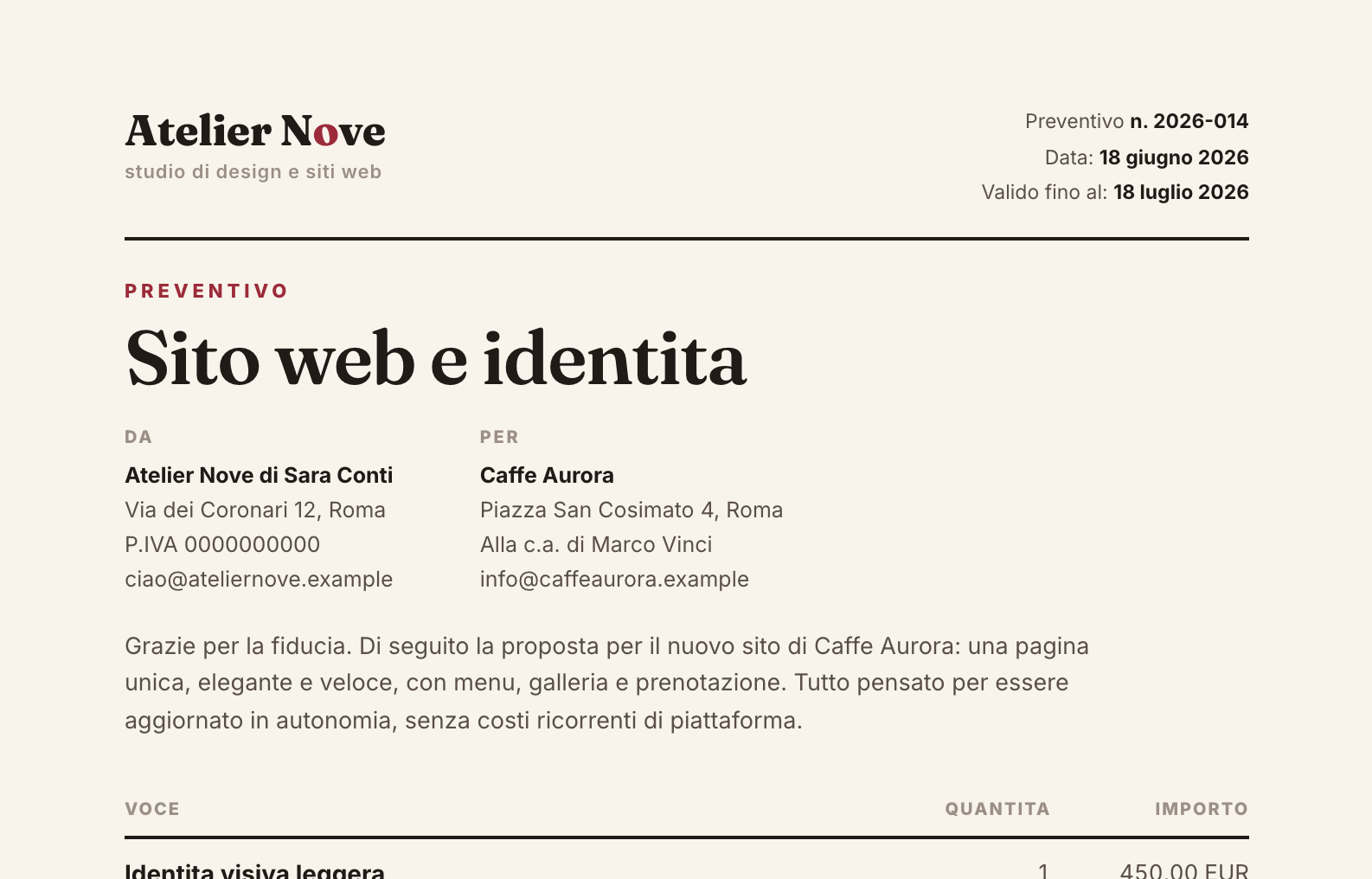
Example
See a real document
The quote was made with the skill: open it and try the "Save as PDF" button.
Want this for your team?
I teach teams to work with AI agents, in-company or in class in Rome. We start from tools like this one.